Introduction: GST Filing Isn’t Hard—It’s Just Poorly Explained
Most beginners don’t struggle with GST because it’s complex.
They struggle because no one explains it in a clear, step-by-step way.
You log into the portal… see multiple forms… hear terms like GSTR-1, GSTR-3B, ITC—and suddenly it feels overwhelming.
But here’s the reality:
👉 GST filing is a process. Once you understand the flow, it becomes routine.
If you want an official overview of GST returns, refer to:
This guide breaks it down exactly how it works—practically, not theoretically.
What You Actually Need Before Filing GST
Before jumping into the steps, get your basics ready.
- Sales invoices (B2B, B2C, exports)
- Purchase data (for Input Tax Credit)
- GST login credentials
- Bank balance for tax payment
👉 If your data isn’t organized, GST filing will always feel difficult.
For documentation basics, you can also explore:
Step-by-Step GST Filing Process (Beginner-Friendly)
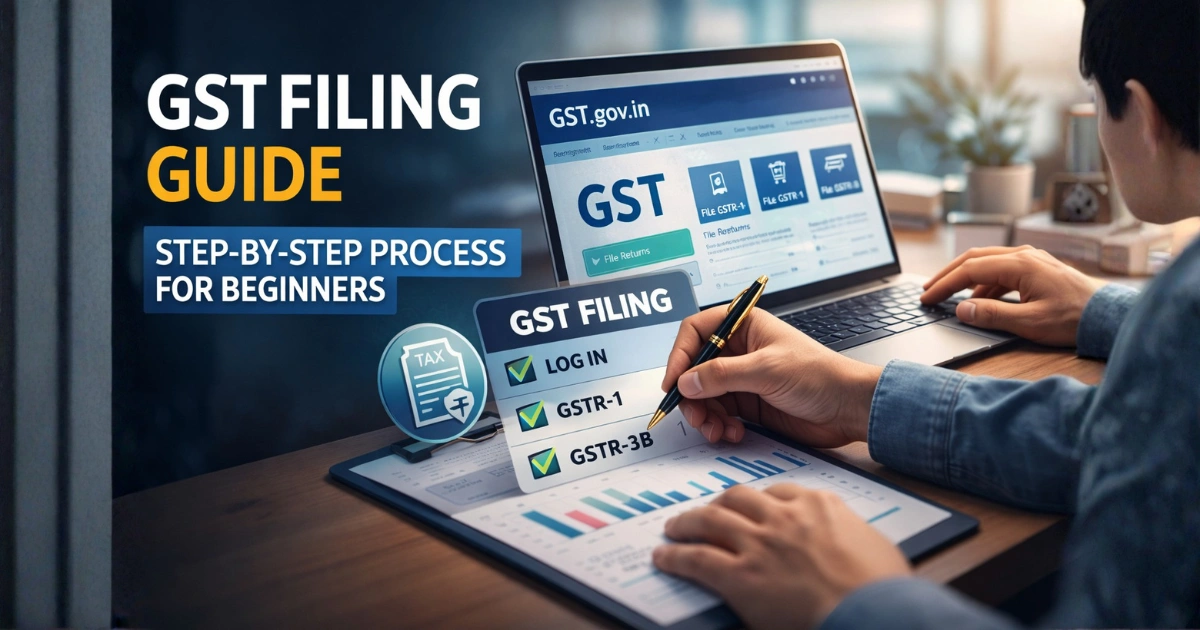
Let’s walk through the exact flow you’ll follow every month or quarter.
Step 1: Log in to the GST Portal
Go to the official GST Portal and enter your username and password.
👉 This is your control panel for everything—returns, payments, notices.
Step 2: Navigate to Returns Dashboard
Once logged in:
- Click on Services > Returns > Returns Dashboard
This is where all your return filings are managed.
Step 3: Select Financial Year & Filing Period
- Choose the financial year
- Select the month or quarter you are filing for
- Click Search
👉 Always double-check the period. Filing in the wrong month is a common beginner mistake.
Step 4: File GSTR-1 (Sales / Outward Supplies)
This is where you report your sales.
What to do:
- Select GSTR-1 → Prepare Online
- Enter invoice details:
- B2B (registered buyers)
- B2C (large consumer invoices)
- Export invoices
- Click Generate Summary
- Review carefully
- Click Submit
👉 Think of GSTR-1 as your sales report submitted to the government.
For detailed format understanding, see:
Step 5: File GSTR-3B (Summary Return)
This is where most beginners get confused—but it’s simpler than it looks.
What happens here:
- Select GSTR-3B
- Review auto-populated data from:
- GSTR-1
- GSTR-2B
- Enter:
- Input Tax Credit (ITC) claimed
- Tax liability
- Exempt or nil-rated sales
👉 This is your final summary + tax calculation return.
To understand ITC better:
Step 6: Pay Taxes and File
Before filing, check your:
- Cash ledger
- Credit ledger
If tax is payable:
- Generate challan using PMT-06
- Pay remaining liability
Then:
- Click Proceed to File
- Select authorized signatory
- File using:
- DSC (Digital Signature Certificate), or
- EVC (OTP verification)
Step 7: Generate ARN (Confirmation)
Once filing is successful:
👉 A 15-digit Application Reference Number (ARN) is generated.
This is your official proof of filing.
Understanding GSTR-1 vs GSTR-3B (Simple Comparison)
- GSTR-1 → Detailed sales data
- GSTR-3B → Summary + tax payment
👉 Both are mandatory. Skipping one creates compliance issues.
Important Tips for Beginners (Don’t Ignore These)
✔ Reconcile ITC Properly
Always match GSTR-3B with GSTR-2B.
👉 If you don’t:
- You may claim incorrect ITC
- Pay extra tax
- Receive notices
✔ Follow Due Dates Strictly
- GSTR-1 → Usually by 11th
- GSTR-3B → Usually by 20th
👉 Late filing = penalties + interest.
You can verify updates here:
✔ Know Your Scheme
If you’re under the Composition Scheme:
- No monthly returns
- File GSTR-4 annually
✔ Use Offline Utility (If Needed)
If you handle many invoices:
- Use Prepare Offline
- Download Excel template
- Upload bulk data
👉 Saves time and reduces errors.
Real-Life Example (So It Actually Makes Sense)
Let’s say you run a small business:
- Monthly sales: ₹5,00,000
- Purchases: ₹3,00,000
What you’ll do:
- Upload ₹5L sales in GSTR-1
- Claim ITC on ₹3L in GSTR-3B
- Pay tax on the difference
👉 This is how GST avoids double taxation.
Common Mistakes Beginners Make
❌ Filing without checking data
❌ Ignoring GSTR-2B
❌ Missing deadlines
❌ Confusing GSTR-1 and GSTR-3B
Pro Tips (From Practical Experience)
- File returns a few days early
- Keep invoices updated weekly
- Use tools like Tally Solutions for accuracy
- Always reconcile before filing
👉 GST becomes easy when your data is clean.
Final Thoughts: GST Filing Is a System, Not a Burden
Once you understand the flow:
👉 Login → Upload sales → Review → Pay → File
That’s it.
No confusion. No stress.
The problem isn’t GST—it’s unclear guidance.
Call to Action
If you’re new:
👉 Focus on accuracy + consistency.
File once yourself.
Understand the system.
After that, GST becomes routine—not a headache.